

Color Customization
Main Color (Accent Color)
The primary color used throughout the chat interface, including:- Chat bubbles (bot messages)
- Buttons and interactive elements
- Header background
- Highlighted text and links
- Match your brand’s primary color
- Ensure good contrast with white text
- Test readability on both light and dark backgrounds
Visual Brand Elements
Company Logo
Your brand logo appears in the chat window header, providing immediate brand recognition. Specifications:- Recommended size: 64×64 pixels
- Formats: PNG, SVG, JPG
- Best practice: Use a transparent PNG or SVG for clean appearance
- Placement: Top-left corner of the chat header
- Use a square or icon version of your logo (not full wide logo)
- Ensure logo is visible against the header background
- Keep file size under 100KB for fast loading
Avatar Image
The AI assistant’s profile picture, displayed next to each bot message and in the chat header.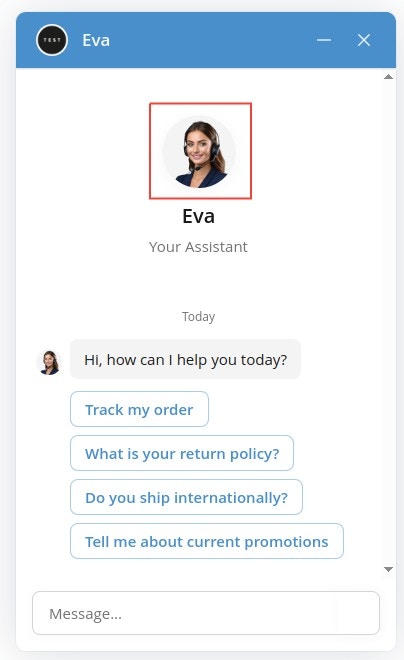
- Recommended size: 64×64 pixels
- Formats: PNG, SVG, JPG
- Style options:
- Your company logo (reinforces brand)
- Generic assistant icon
- Custom character illustration
- Photo of a team member (if positioning as human-assisted)
- Product-focused: Icon representing your product category (bike for bike shop, book for bookstore)
- Mascot: If you have a brand mascot, use it here
- Professional: Abstract geometric shape in your brand colors
- Human touch: Illustrated character matching your assistant’s name and gender
Launcher Icon
The small icon shown in the chat bubble before visitors open the chat window.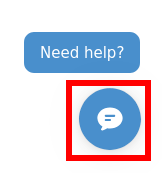
- Recommended size: 50×50 pixels
- Formats: PNG, SVG
- Common choices:
- Chat bubble icon (default)
- Message icon
- Your simplified company logo
- Question mark icon
- Keep it simple and recognizable even at small size
- Ensure good contrast against your website’s background
- Use your accent color or brand color
- Consider animation compatibility
Next Steps
- Widget Layout & Position - Adjust where and how the chatbot appears
- Behavior & Tone - Define your chatbot’s communication style