

Availability Schedule
Control when the chatbot is visible to your website visitors.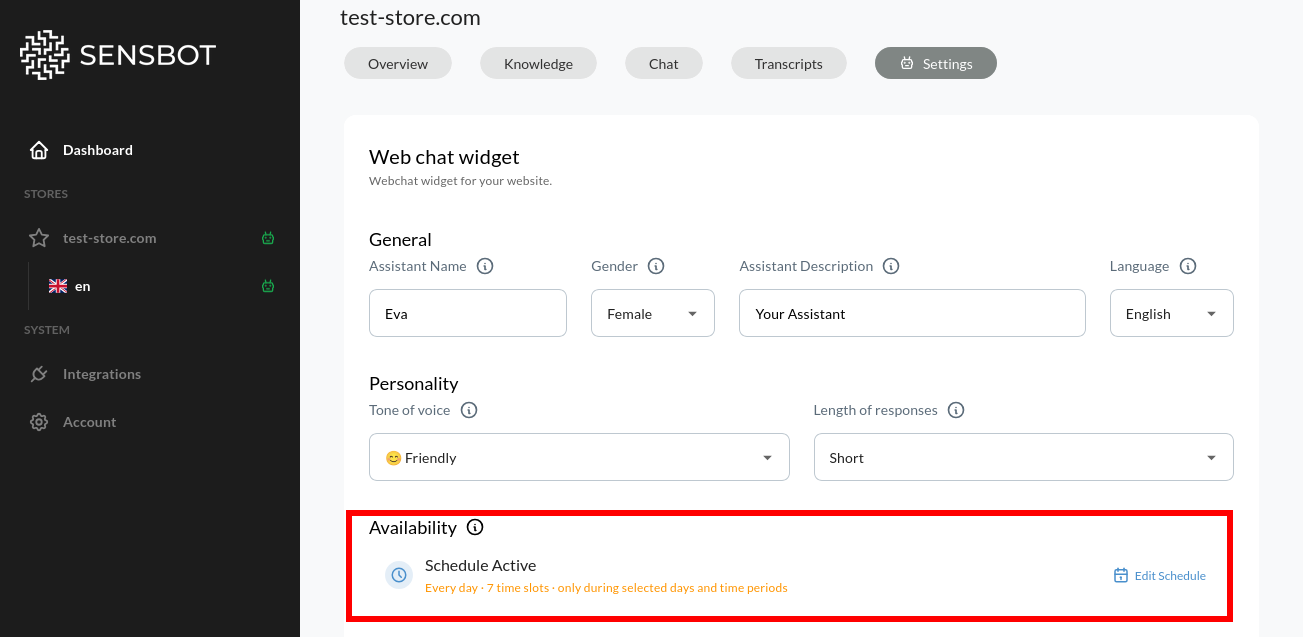
- Disabled (24/7): Chatbot available all the time
- Schedule Enabled: Set specific days and hours when it’s visible
When to Use Scheduling
Match your customer support hours:- Show chatbot only during business hours (e.g., 9 AM - 6 PM)
- Align with when human support is available for handoffs
- Set different hours for different days (e.g., shorter weekend hours)
- Temporarily disable during site updates
- Prevent customer interactions when systems are down
- Avoid confusion during planned outages
- Show chatbot during high-traffic periods
- Target specific time zones for international stores
- Optimize for when conversion rates are highest
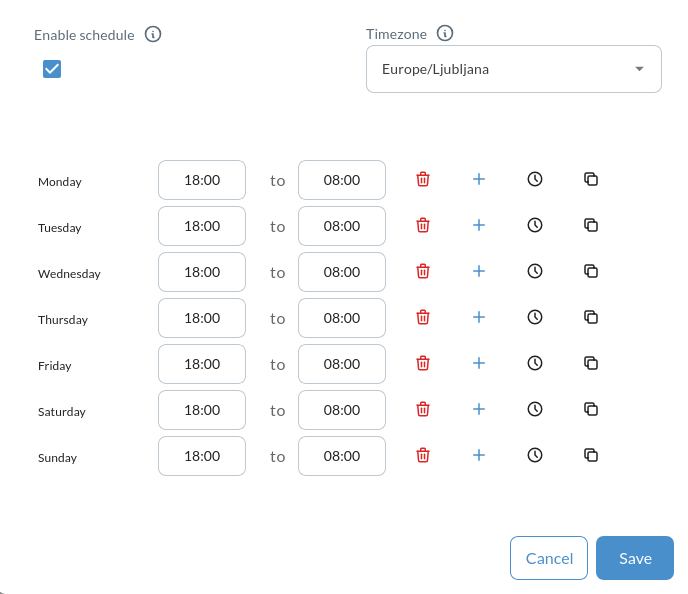
Setting Up a Schedule
Chat Persistence
Control how long the chatbot remembers conversations with each visitor.Persistence Options
Never forget:- Keeps full chat history indefinitely
- Remembers conversations across all visits
- User returns days later and continues same conversation
- Remembers conversation while browsing site
- Clears memory when all browser tabs close
- Fresh start on next visit
- Clears conversation when active tab closes
- Most privacy-focused option
- Each page visit is treated as new conversation
Next Steps
- Colors & Branding - Customize visual appearance
- Widget Layout & Position - Adjust positioning
- Proactive Engagement - Configure proactive messages and animations
- Behavior & Tone - Define communication style