

Sensbot AI – Outlook Add-in
The Sensbot Outlook Add-in brings AI-powered email assistance directly into Microsoft Outlook. Without switching apps or copying email content, you get instant AI-generated reply drafts, email analysis, and decision support — all inside a side panel next to your inbox.Two versions
There are two versions of the add-in, depending on how you use Outlook. On Windows there are also two different Outlook desktop apps — the older Outlook (classic) and the new Outlook — each of which uses a different version of the add-in: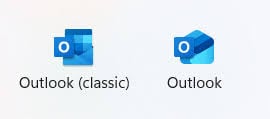
Classic Outlook (desktop)
The desktop add-in works with the classic Microsoft Outlook application on Windows. It integrates as a task pane in the Outlook ribbon and is compatible not only with Microsoft 365 email accounts but also with any other email provider you have connected to Outlook — including Gmail, IMAP/SMTP, and others. This version is available now. See Installation to get started.Outlook on the web and the new Outlook for Windows
The web add-in works in Outlook on the web for both Microsoft 365 (work/business) and personal Outlook.com accounts. It appears in the same Outlook add-ins toolbar and shows the identical Sensbot AI panel.The new Outlook for Windows (the new desktop app that replaces classic Outlook) uses the same web add-in and the exact same install and usage procedure as Outlook on the web. If you use the new Outlook app, follow the web pages — not the classic desktop installer.
How it works
Once installed, the add-in adds a Sensbot AI button to the Outlook ribbon. Clicking it opens a side panel. When you select an email, the panel automatically loads that message and either shows a previously generated response or lets you generate a new one with a single click. The panel is identical in both versions — the same AI analysis, response tabs, and refinement tools are available whether you use the desktop app or the web client. For full details on working with the panel, see Usage.Where it works
A Microsoft 365 business subscription (Exchange Online mailboxes) is required for the full experience, including shared mailboxes and the pinned panel. See Microsoft 365 Setup.