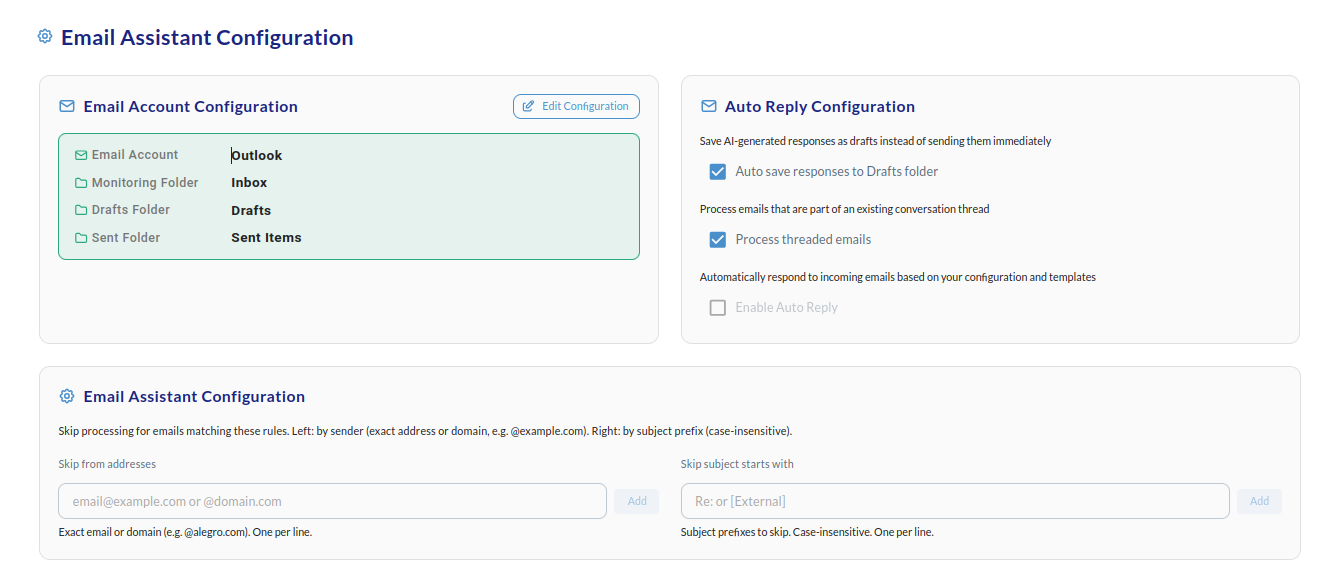
Auto Reply Configuration
For initial setup, you can leave all default settings as they are. When you’re ready, customize your email assistant:- Save AI-generated responses as drafts instead of sending them immediately — When enabled, the assistant creates draft replies for you to review and send manually. When disabled, it can send replies automatically according to your rules.
- Process emails that are part of an existing conversation thread — When enabled, the assistant also handles incoming messages in ongoing threads (e.g. long reply chains). When disabled, it only processes new conversations or according to your rules.