> ## Documentation Index
> Fetch the complete documentation index at: https://docs.sensbot.ai/llms.txt
> Use this file to discover all available pages before exploring further.
# Open Sensbot in Shoper
> How to access your installed Sensbot AI Chatbot in Shoper
# Opening Sensbot in Shoper
Once you have successfully installed Sensbot AI Chatbot on your Shoper store, here's how to access it anytime.
***
## ✅ How to Open Sensbot
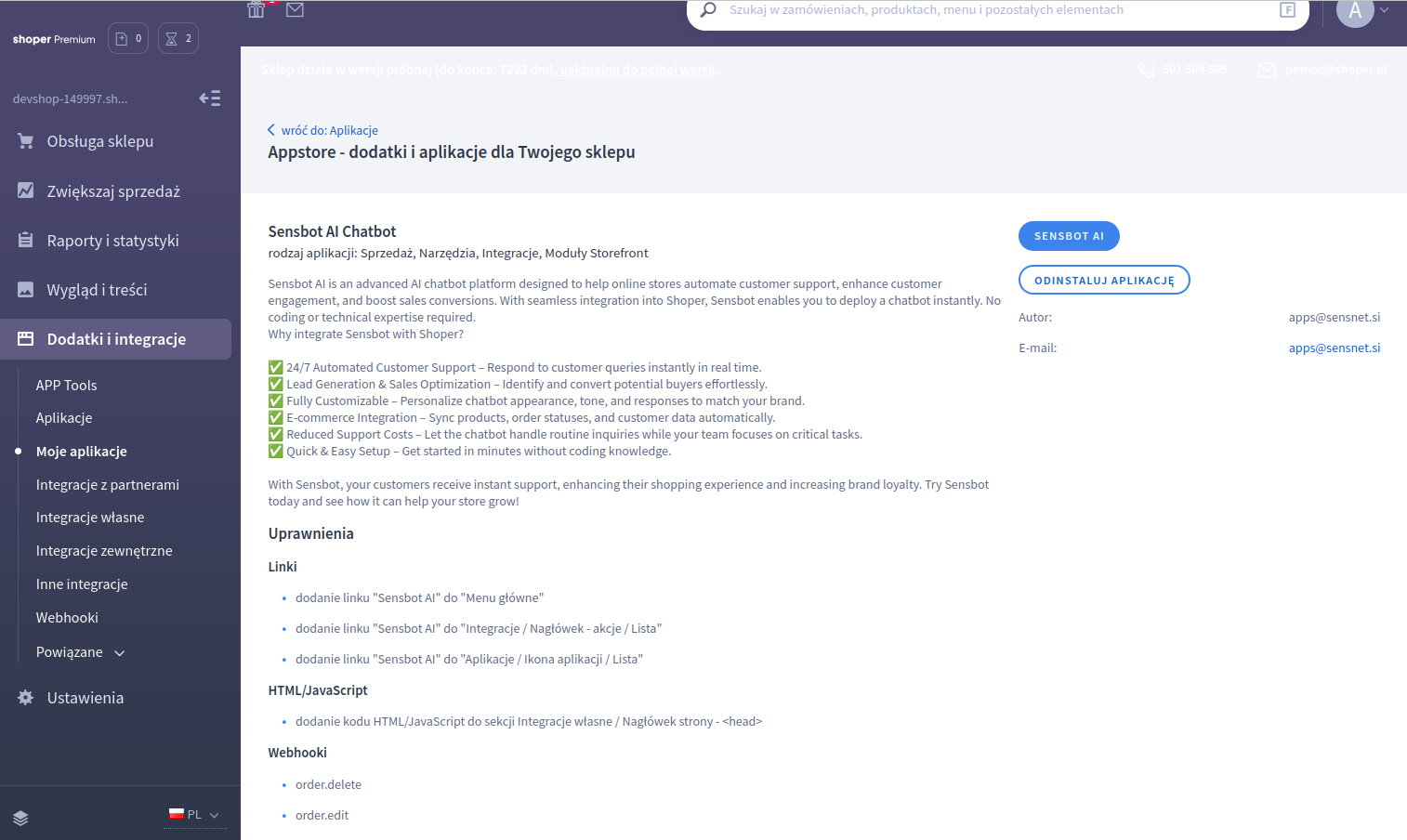
1. In your Shoper admin panel, navigate to **"Dodatki i integracje"** → **"Moje Aplikacje"**.
2. Find and click on the **Sensbot AI** app in your installed applications list.
3. Click the **Sensbot AI Chatbot** blue button to open the admin interface.
 ***
## 🎯 What You'll See
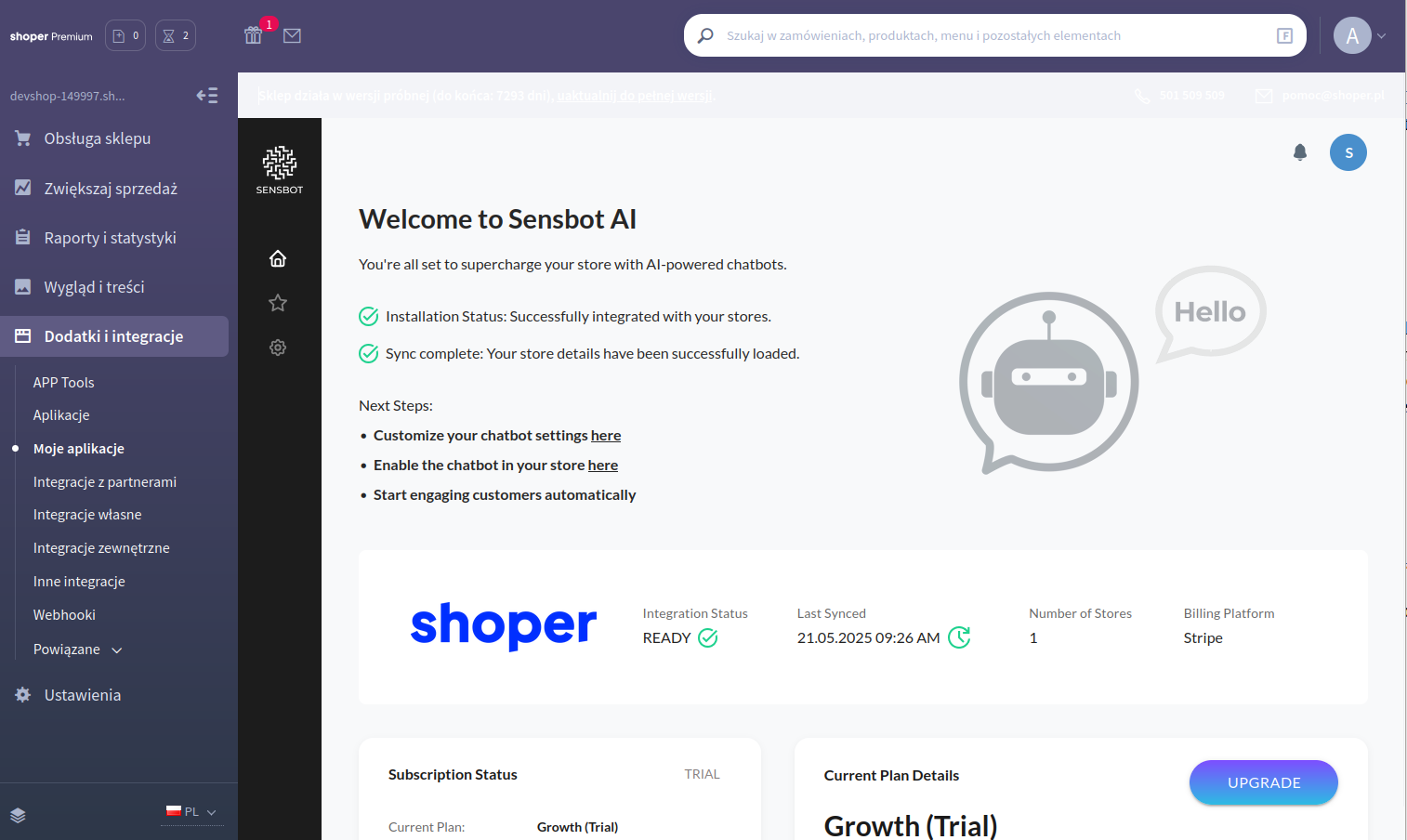
Once opened, Sensbot will display:
* Your integration status and sync information
* The main dashboard with configuration options
* Access to all chatbot settings and customization features
***
## 🎯 What You'll See
Once opened, Sensbot will display:
* Your integration status and sync information
* The main dashboard with configuration options
* Access to all chatbot settings and customization features
 ***
## 📍 Quick Access Tip
For frequent use, you can bookmark the Sensbot admin page or add it to your browser favorites for quick access to your AI chatbot settings.
***
Need help accessing Sensbot? Contact us at [support@sensbot.ai](mailto:support@sensbot.ai).
***
## 📍 Quick Access Tip
For frequent use, you can bookmark the Sensbot admin page or add it to your browser favorites for quick access to your AI chatbot settings.
***
Need help accessing Sensbot? Contact us at [support@sensbot.ai](mailto:support@sensbot.ai).