> ## Documentation Index
> Fetch the complete documentation index at: https://docs.sensbot.ai/llms.txt
> Use this file to discover all available pages before exploring further.
# Linking Partner Code
> How partners link their code in Sensbot
# Linking Your Partner Code
## About the Partner Program
Sensbot's partner program rewards developers and agencies who recommend and implement Sensbot for their clients. As a partner, you'll earn a **recurring commission** on your client's subscription for **12 months** from the date of installation.
The commission percentage varies based on partnership agreements and volume, but partners typically earn a significant percentage of each client's monthly subscription fee.
## Getting Your Partner Code
Before you can start earning commissions, you need a partner account. Contact us at [partners@sensbot.ai](mailto:partners@sensbot.ai) to set up your partner account. We'll create a unique partner code for you that you'll use for all your client installations.
You can find and copy your partner code from your partner dashboard:
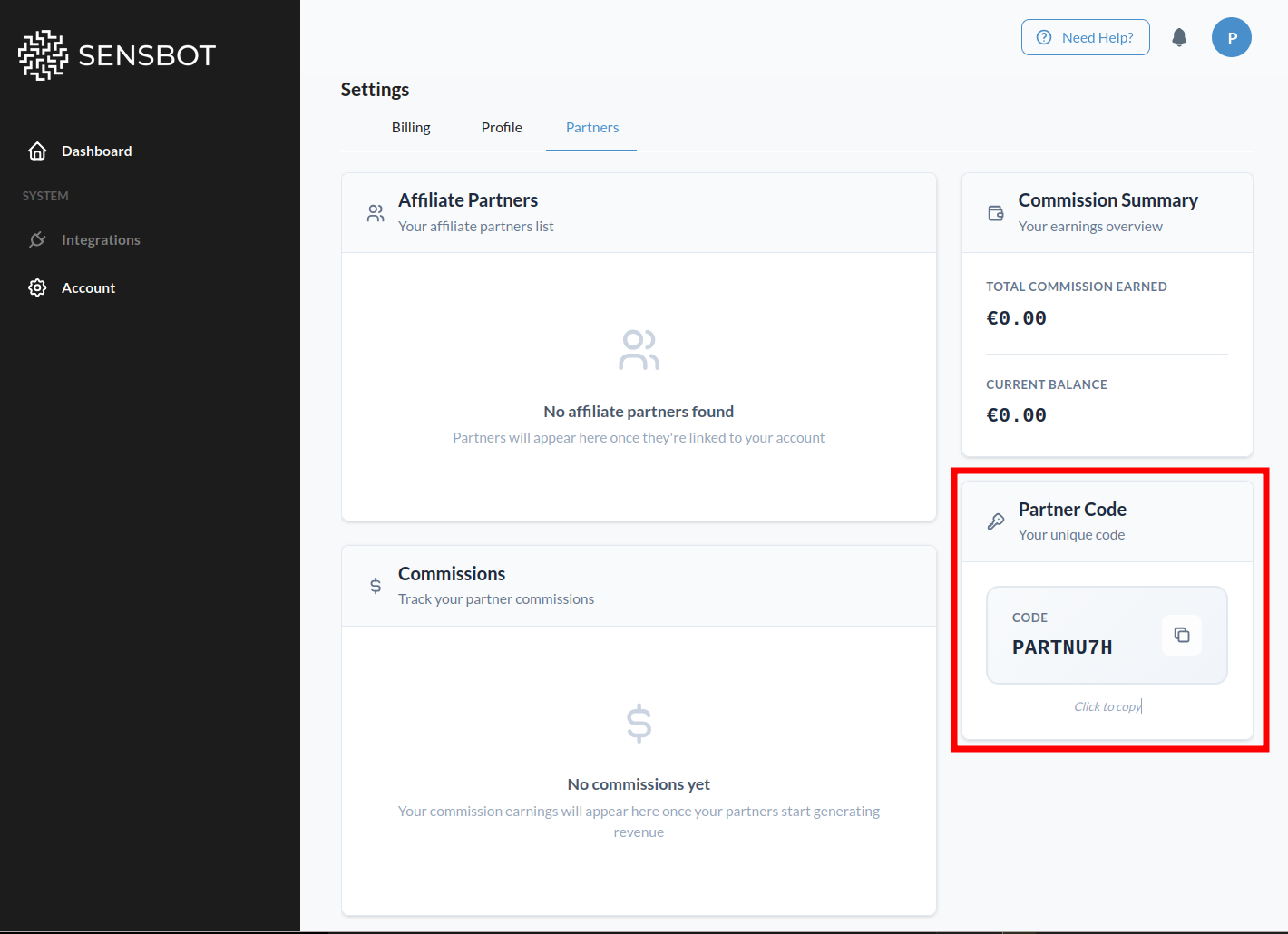 Once you have your partner code, you'll enter it into each client's Sensbot installation following the steps below.
## How to Link Your Code
Follow these steps after installing Sensbot on your client's store.
***
## Steps
You need to enter your partner code on **each client store** you manage. Repeat these steps for every client installation:
1. Open your client's store admin panel and navigate to the Sensbot app.
2. Open the Sensbot app.
3. Go to **Account → Profile**.
4. Scroll to the bottom to find the **Partner** section.
Once you have your partner code, you'll enter it into each client's Sensbot installation following the steps below.
## How to Link Your Code
Follow these steps after installing Sensbot on your client's store.
***
## Steps
You need to enter your partner code on **each client store** you manage. Repeat these steps for every client installation:
1. Open your client's store admin panel and navigate to the Sensbot app.
2. Open the Sensbot app.
3. Go to **Account → Profile**.
4. Scroll to the bottom to find the **Partner** section.
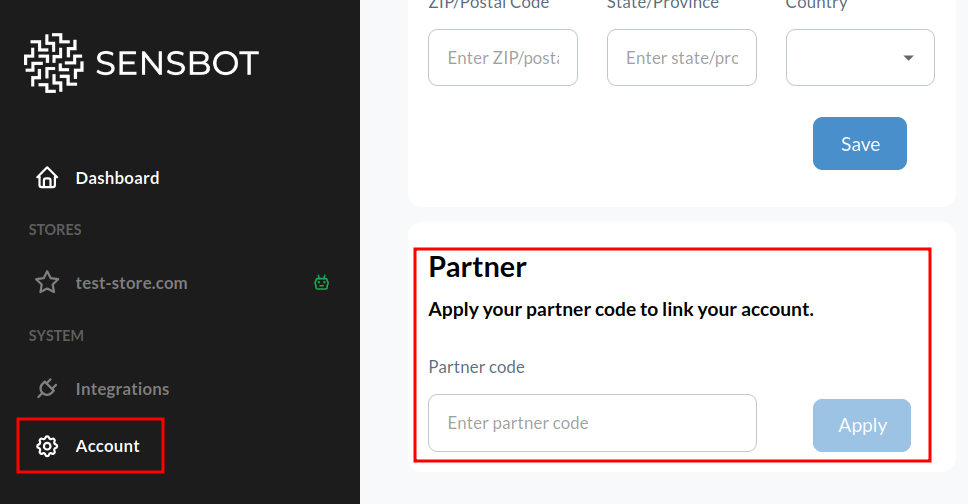 5. Enter your partner code and save.
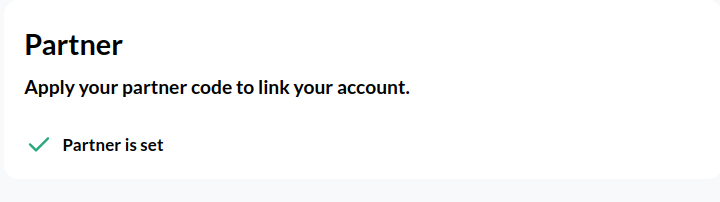 ***
Once accounts are linked, payments from your client will be tracked automatically and commission will be assigned to your code. You'll receive a monthly commission report.
If a client forgets to enter the code, contact us and we'll link it manually.
## Need help?
Email us at [partners@sensbot.ai](mailto:partners@sensbot.ai).
***
Once accounts are linked, payments from your client will be tracked automatically and commission will be assigned to your code. You'll receive a monthly commission report.
If a client forgets to enter the code, contact us and we'll link it manually.
## Need help?
Email us at [partners@sensbot.ai](mailto:partners@sensbot.ai).